
YOUR APP, APPCLICKPRINT POWERED
Printer management without sending customers away.
Add Manage printers and Select printer controls. Your backend requests a single-use AppClickPrint URL and your frontend opens it in a popup, new tab or approved iframe.
Printer picker mode
Request mode: "select" with your allow-listed app origin. Customers see their live printers, can correct the driver and test it, then choose one. AppClickPrint returns appclickprint.printer.selected with the printer alias, name, driver, connection and print URL. Verify the message origin and store the alias against the correct tenant and workflow.
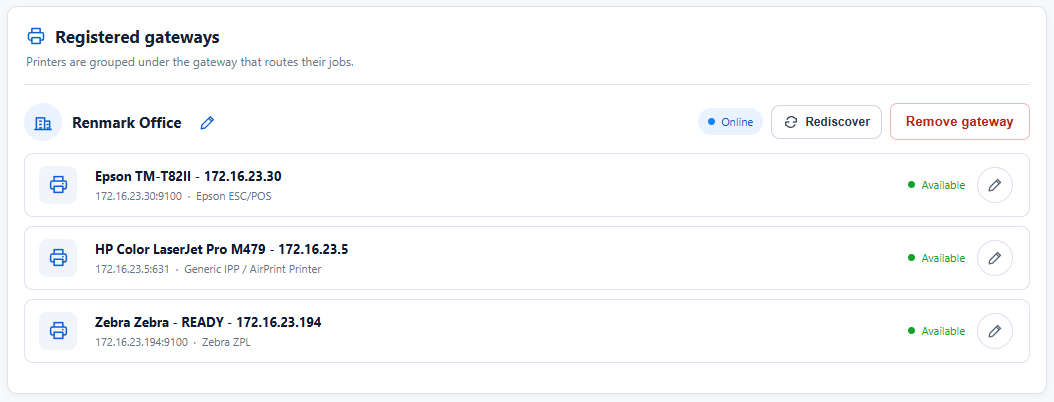
If output is gibberish, ask the customer to edit the printer and try the correct language, such as Epson ESC/POS for an Epson receipt printer, before selecting it.
Use the included demo customer first
Developer creation automatically returns a Demo Customer with an API key and onboarding details. Use it to test this flow immediately. Before opening printer management for a real customer, create them using your stable customer ID and their business name. Customer email and password are optional.
POST https://appclickprint.com/v1/developer/customers
Authorization: Bearer YOUR_MANAGEMENT_KEY
Content-Type: application/json

{"externalId":"customer-4821","businessName":"Example Company"}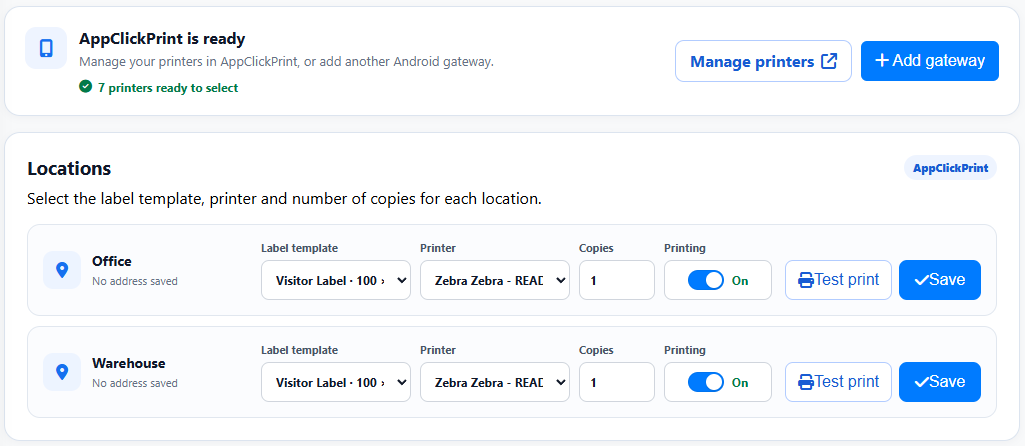
- The customer clicks Manage printers.
- Your backend identifies their stable
externalId. - It calls
POST /v1/developer/customers/{externalId}/portal-session. - Your frontend opens the returned one-use URL.
- The customer manages drivers and tests inside AppClickPrint.
const session = await yourBackend.createPrinterManagerSession(customer.id);
window.open(session.url, 'appclickprint', 'width=1100,height=760');
Register the calling app origins
Register every exact production and preview origin used by an iframe or printer-picker popup. Include allowedOrigins when creating the developer account, or replace the complete list later from your backend:
PUT https://appclickprint.com/v1/developer/allowed-origins
Authorization: Bearer YOUR_MANAGEMENT_KEY
Content-Type: application/json

{"allowedOrigins": ["https://app.example.com"]}
Use origins only, with no path, trailing slash or wildcard. Listen for appclickprint.ready, appclickprint.printers.changed and appclickprint.portal.close, and validate every message origin.