1
Your app creates the output
Generate a PDF at the exact physical size, or use ZPL or ESC/POS when your application already owns the native commands.
PRINTING FOR MODERN APPS
Add label, receipt, ticket, badge and document printing to a web app, mobile app, SaaS product or AI-built application. Connect each customer site with an  Android,
  Windows or
  Linux gateway.
One cloud API. Three gateway choices. No browser print-dialog workflow.
THE RIGHT GATEWAY FOR EACH SITE
Use Android for simple QR setup without a dedicated computer, or use Windows and Linux for direct network-printer discovery and optional installed print queues. Customers can run one gateway or combine several across rooms, counters, warehouses and print queues.
Cloud servers cannot directly reach printers inside a customer’s private network. Browsers add prompts, remember the wrong printer and paper size, and make silent routing difficult. AppClickPrint gives your trusted backend an HTTPS print API while a secure local gateway handles the final connection.
Generate a PDF at the exact physical size, or use ZPL or ESC/POS when your application already owns the native commands.
Submit from the backend using the customer print key, selected printer alias and a stable idempotency key.
The customer’s Android, Windows or Linux gateway receives the job and connects to the appropriate local printer.
SOLVE THE WORKFLOW, NOT JUST THE CONNECTION
Add printing at the point where your application already has the correct data and user intent.
Print courier, postage, returns and address labels from fulfilment workflows at native media size.
Shipping-label printing guide → Point of saleRoute receipts, preparation dockets and collection tickets to different printers at the same venue.
Receipt-printing guide → VisitorsMake badge printing part of reception, contractor or event check-in instead of a separate print-dialog step.
Visitor-badge printing guide → WarehousingPrint pallet IDs, SSCC-style logistics labels, stock labels and machine-readable references beside the operator.
Warehouse-label printing guide → EventsConnect online bookings to ticket, receipt or label printers at a box office, kiosk or check-in desk.
Event-ticket printing guide → SamplesRoute a system-generated sample identifier and barcode to the label printer at the collection point.
Sample-label printing guide →Vibe-coded apps should be able to print too. We like AI app builders because they help more people turn useful ideas into working software. AppClickPrint handles the awkward physical-printing layer—printer discovery, customer gateway setup and reliable local delivery—through one documented API.
Use a server function or trusted backend so AppClickPrint credentials never appear in browser or mobile code. The customer sees only Add Gateway, Manage Gateways, Select printer and Print.
Store secrets in the server environment and keep customer provisioning and print submission behind authenticated functions.
ReplitUse a backend deployment and encrypted Secrets for customer keys, printer discovery and print jobs.
More buildersFollow a platform-specific guide without changing the core customer and printer lifecycle.
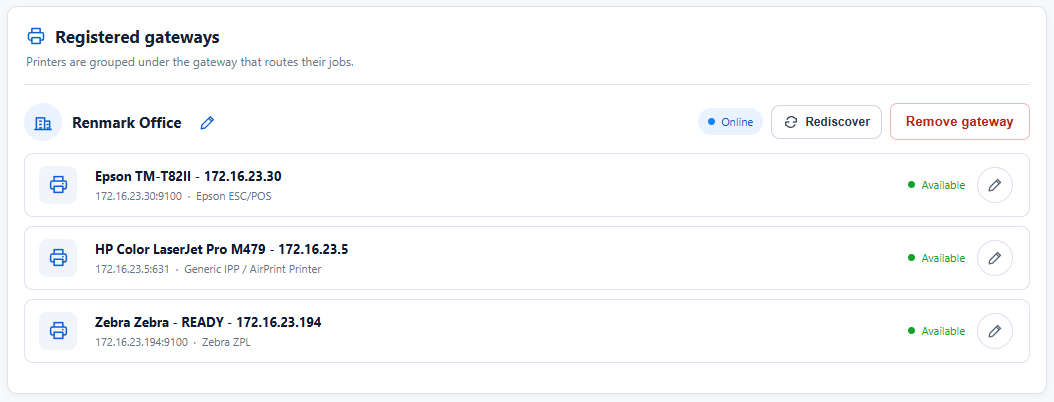
Open a secure, short-lived AppClickPrint page from your application. Customers can add Android, Windows and Linux gateways, inspect automatically discovered network printers or optional installed queues, change a driver and send a test print.
| Site requirement | Recommended gateway | Why |
|---|---|---|
| No dedicated computer near the printer | Android | QR setup on an inexpensive phone or tablet, with no Windows/Linux print-server PC required. |
| Windows computer near the printers | Windows | Discover supported network printers without installing them, or optionally expose queues already installed on the computer. |
| Linux or CUPS environment | Linux | Discover supported network printers directly and optionally reuse CUPS destinations through a systemd service. |
| Several areas or a recovery gateway | Mix platforms | Register multiple gateways and printers under the same customer account. |